Organize, tag, and rename your movie & TV library for Plex, Jellyfin, Kodi & Emby.
Video Tagger is a local-first desktop app for macOS that cleans up filenames, fetches movie & TV metadata, and writes Plex / Jellyfin / Kodi / Emby-compatible sidecar files next to your videos. Everything stays on your computer — no cloud, no upload, no account.
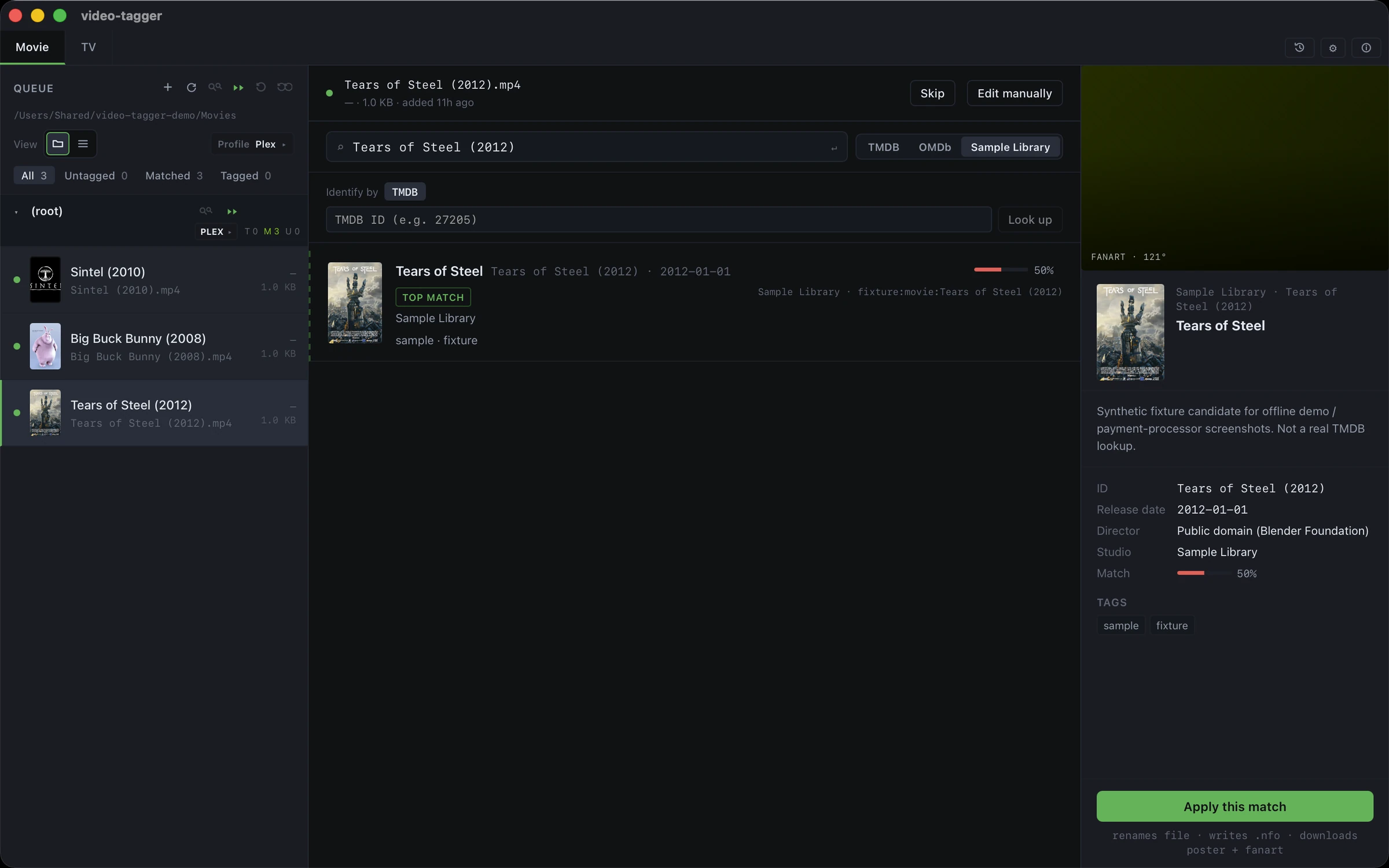
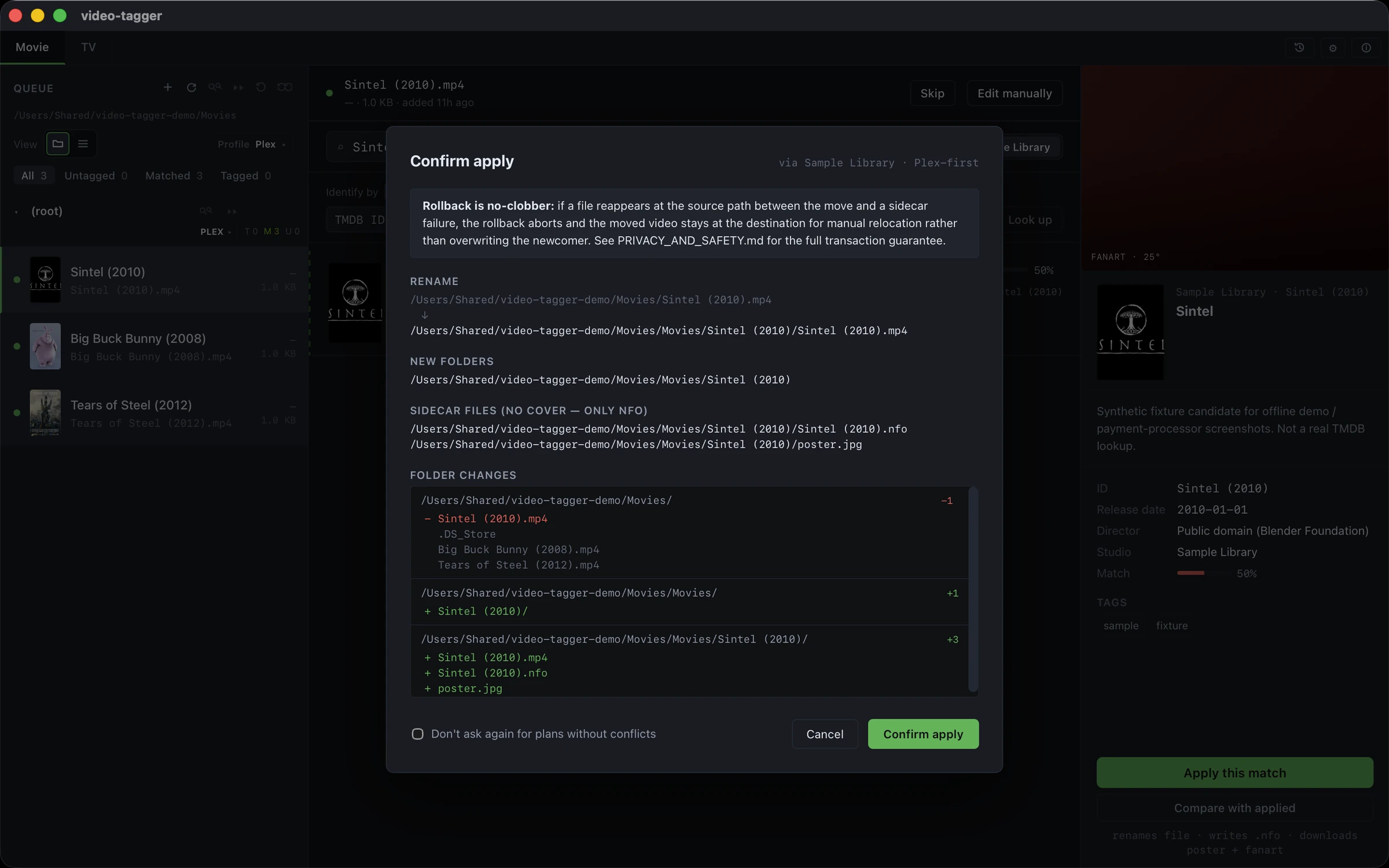
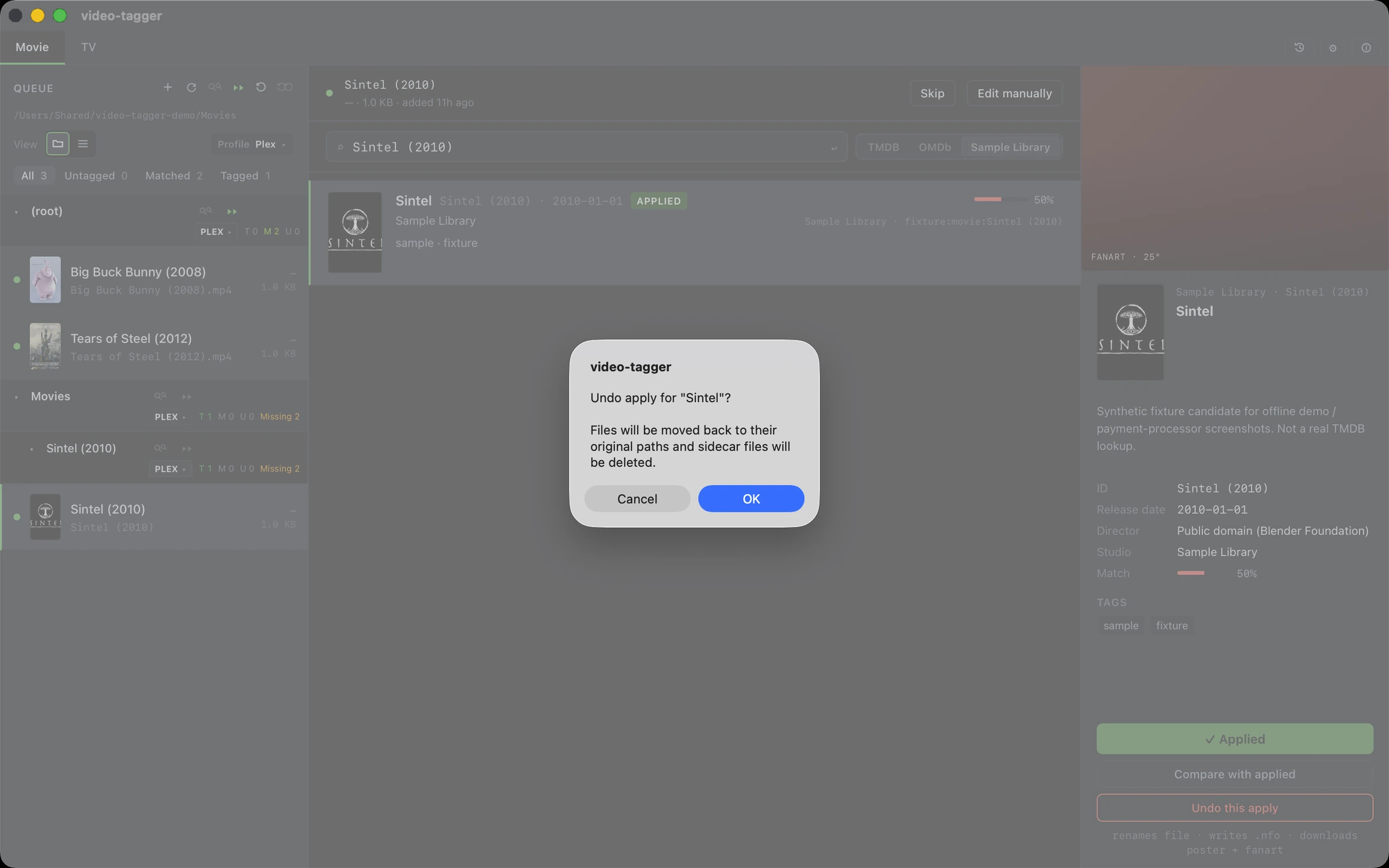
Everything that matters, nothing that doesn't.
Built for people who want a clean, private media library without hand-typing metadata.
Scan & recognize
Pick any folder. Video Tagger finds your movies and TV episodes from filenames like Example Movie (1999).mkv or Show.S01E03.mkv.
Preview before you apply
See every rename, new sidecar, and conflict before anything touches your disk. You confirm every change.
Compare & replace
Already tagged a file? Diff your existing .nfo against fresh provider data and update only the fields that changed.
Persistent undo
Undo single files or whole batches — even after closing and reopening the app. Shared show-level sidecars are handled safely. Learn more →
Works with your media server
Built-in presets for Plex, Jellyfin, Kodi, and Emby, plus a custom profile editor. Switch formats in one click. Learn more →
Batch "Match all"
Let the app match every untagged item in a tab, then apply the results in one aggregated confirm step. Live progress with speed and ETA.
For TMDB movie & TV lookups, paste your own free TMDB API key in Settings. Other providers may have their own requirements.
Three steps. You're in control.
Nothing is written until you say go.
Pick a folder
Choose any folder on your Mac. Video Tagger lists every video file it finds.
Review matches
The app reads filenames, queries your chosen provider, and shows ranked candidates. Pick one or search manually.
Apply safely
Confirm the preview and Video Tagger writes the sidecars and renames your files. Change your mind? Undo anytime.
Your files never leave your computer.
Video Tagger is a desktop app, not a cloud service. Your library structure, filenames, and video contents stay on your disk.
What that means
There's no telemetry, no analytics, and no crash reporting. Provider lookups start from your machine using your own network settings and API keys. We don't see your searches.
Read the Privacy Policy →- Your video files are never uploaded.
- Filenames and folder paths stay private.
- No telemetry, analytics, or crash reporting.
- Payments processed by Paddle for direct purchases or by Apple for Mac App Store purchases; the app never sees your card.
Try free for 7 days. Keep it with a license.
Available on the Mac App Store, or buy directly from this site with Paddle.
Trial
Test with your real library.
- Scan local folders
- Look up movie & TV info
- Preview before applying
- Undo any change
- License required after trial
Pro Annual
For ongoing library upkeep.
- Everything in Trial
- Continue after 7 days
- Batch apply & batch undo
- Custom naming templates
- Priority email support
Pro Lifetime
Pay once, keep forever.
- Everything in Trial
- Continue after 7 days
- Batch apply & batch undo
- Custom naming templates
- Priority email support
Download Video Tagger for macOS.
Get Video Tagger from the Mac App Store (7-day free trial via StoreKit, Apple handles billing), or download the signed DMG and start a 7-day email-verified trial. Buy a Pro license with Paddle. The direct DMG is Apple silicon only; Intel Macs should use the Mac App Store version.
DMG: v1.0.4 · signed & notarized · Apple silicon (M1/M2/M3/M4). Windows version → notify me